Your log, in a format anyone can read.
Everything Odoline exports is documented here: the columns of the CSV and JSON files, the structure of the encrypted backup, and a small script that opens a backup without the app. It is part of the promise.
CSV and JSON export
Export gives one CSV file per table, or one JSON file with all of them. The export format has a version number, odolineExportSchema, currently 4. It is written in the first column of every CSV row, as odoline_schema, and as the odoline_schema key of the JSON file. Version 4 added the electric vehicle columns and the charge location work.
A newer version of the app only ever adds columns at the end of a file. It never renames a column or changes what it means. If the meaning of a column has to change, the version number goes up.
How values are written
- Choices (for example
energyorstatus) are written as their plain name, without a prefix. - Moments in time, the columns ending in
_iso, use ISO 8601. In CSV they carry the UTC offset and use your local time when you export; in JSON they are UTC. due_dateis a calendar date,yyyy-mm-dd.- Lists (
fuel_types,applicable_kinds) are joined with|. - Yes or no values are
trueorfalse. - Numbers use a dot as the decimal separator.
- Distance and quantity columns come with the unit of the same row (
distance_unit,quantity_unit); money comes withcurrency.
In the JSON file, each table is an array named like the CSV file without its extension, next to odoline_schema and exported_at. Each row is an object with the same column names as the CSV, without odoline_schema. Numbers, booleans and empty values keep their JSON type.
The six export files
Columns are listed in the order they are written. Column names are fixed and in English.
| # | Column |
|---|---|
| 1 | odoline_schema |
| 2 | id |
| 3 | name |
| 4 | kind |
| 5 | powertrain |
| 6 | fuel_types |
| 7 | distance_unit |
| 8 | volume_unit |
| 9 | consumption_unit |
| 10 | currency |
| 11 | initial_odometer |
| 12 | make |
| 13 | model |
| 14 | year |
| 15 | plate |
| 16 | vin |
| 17 | status |
| 18 | sort_order |
| 19 | created_at_iso |
| 20 | updated_at_iso |
| 21 | battery_capacity_kwh |
| 22 | home_tariff_per_kwh |
| # | Column |
|---|---|
| 1 | odoline_schema |
| 2 | id |
| 3 | vehicle_id |
| 4 | vehicle_name |
| 5 | at_iso |
| 6 | energy |
| 7 | fuel_type |
| 8 | odometer |
| 9 | trip_distance |
| 10 | distance_unit |
| 11 | quantity |
| 12 | quantity_unit |
| 13 | unit_price |
| 14 | total_cost |
| 15 | currency |
| 16 | entered_price |
| 17 | is_full |
| 18 | missed_previous |
| 19 | charge_location |
| 20 | station |
| 21 | note |
| 22 | source |
| 23 | external_key |
| 24 | created_at_iso |
| 25 | updated_at_iso |
| 26 | soc_before |
| 27 | soc_after |
| 28 | charge_current |
| 29 | provider |
| 30 | session_fee |
| 31 | charge_duration_min |
| 32 | charge_power_kw |
| # | Column |
|---|---|
| 1 | odoline_schema |
| 2 | id |
| 3 | vehicle_id |
| 4 | vehicle_name |
| 5 | at_iso |
| 6 | odometer |
| 7 | distance_unit |
| 8 | service_type_key |
| 9 | cost |
| 10 | currency |
| 11 | vendor |
| 12 | note |
| 13 | reminder_id |
| 14 | source |
| 15 | external_key |
| 16 | created_at_iso |
| 17 | updated_at_iso |
| # | Column |
|---|---|
| 1 | odoline_schema |
| 2 | id |
| 3 | vehicle_id |
| 4 | vehicle_name |
| 5 | at_iso |
| 6 | odometer |
| 7 | distance_unit |
| 8 | category |
| 9 | amount |
| 10 | currency |
| 11 | vendor |
| 12 | note |
| 13 | period_months |
| 14 | source |
| 15 | external_key |
| 16 | created_at_iso |
| 17 | updated_at_iso |
| # | Column |
|---|---|
| 1 | odoline_schema |
| 2 | id |
| 3 | vehicle_id |
| 4 | vehicle_name |
| 5 | title |
| 6 | service_type_key |
| 7 | expense_category |
| 8 | mode |
| 9 | distance_unit |
| 10 | interval_distance |
| 11 | interval_months |
| 12 | repeat |
| 13 | due_odometer |
| 14 | due_date |
| 15 | notify_before_days |
| 16 | notify_before_distance |
| 17 | last_done_at_iso |
| 18 | last_done_odometer |
| 19 | status |
| 20 | snoozed_until_iso |
| 21 | snoozed_until_odometer |
| 22 | last_threshold_notified_odometer |
| 23 | last_date_notified_at_iso |
| 24 | threshold_notified_at_iso |
| 25 | external_key |
| 26 | created_at_iso |
| 27 | updated_at_iso |
| # | Column |
|---|---|
| 1 | odoline_schema |
| 2 | id |
| 3 | name |
| 4 | applicable_kinds |
| 5 | default_interval_distance |
| 6 | default_interval_months |
| 7 | created_at_iso |
| 8 | updated_at_iso |
The .odoline backup file
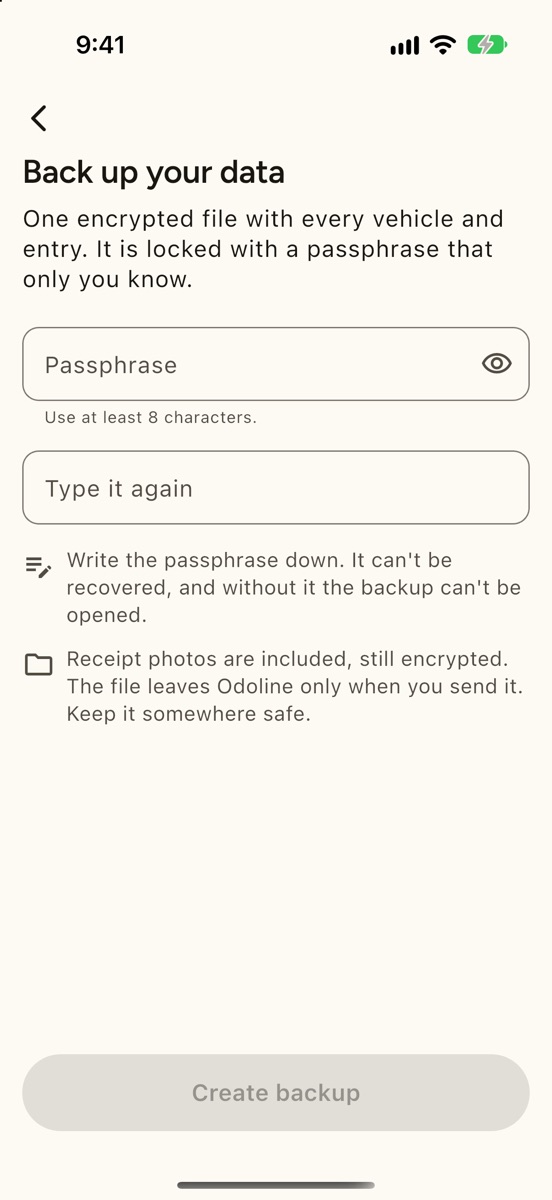
The backup is one encrypted file. The structure, version 1, is:
"ODOLBK01"                8 bytes, ASCII
header length             4 bytes, unsigned, big-endian
header                    JSON, UTF-8
ciphertext                AES-256-GCM
tag                       16 bytes, at the very end
The header is not encrypted. It holds the version, the key settings, the nonce, the data schema number and the creation time:
{"v":1,
 "kdf":{"alg":"argon2id","m":19456,"t":2,"p":1,"salt":"<base64, 16 bytes>"},
 "cipher":"aes-256-gcm",
 "nonce":"<base64, 12 bytes>",
 "schema":<database schema number>,
"createdAt":"<ISO 8601, UTC>"}- Key. Argon2id with 19456 KiB of memory, 2 passes and 1 lane, applied to your passphrase as UTF-8 text and the 16-byte salt, gives a 32-byte AES key.
- Encryption. AES-256-GCM with the 12-byte nonce. The associated data is everything before the ciphertext: the 8 magic bytes, the 4 length bytes and the header. Changing any byte of the header therefore breaks the tag.
- Inside. The decrypted bytes are a gzip file. Decompressed, it is JSON of the form
{"tables": {"<table>": [<row>, …]}, "photos": [{"id", "fileName", "data"}]}. Rows use the database column names, not the export columns above. Each photo is a receipt image, withdatain base64 and afileNamemade of letters, digits and hyphens plus a short extension. - Wrong passphrase or damaged file. When the tag does not match, the first bytes of the decrypted data tell the two apart: the right key gives the start of a gzip file, a wrong key gives noise. A damaged file is never reported as a wrong passphrase.
There is no key stored anywhere. Without the passphrase, nobody can open the file, us included.
Open a backup without the app
odoline_read.py is a single Python file under the MIT licence. It needs Python 3.9 or newer. It decrypts a backup and writes the tables as JSON, optionally as CSV, and the receipt photos as files. It also needs two packages; pip picks versions that fit your Python:
pip install cryptography argon2-cffipython3 odoline_read.py my-backup.odoline --out my-log --csvIt asks for the passphrase without showing it. For scripts, the passphrase can be set in the ODOLINE_PASSPHRASE environment variable instead. The script writes backup.json (with schema, createdAt and tables), the photos in photos/ and, with --csv, one CSV file per table. The folder defaults to the file name without its extension (or the name plus -out if there is no extension). It must be new or empty: the script refuses to write into a folder that already has files, and it never writes outside that folder.
Each photo is saved as <id>.jpg, .png, .gif, .webp or .heic, with the type read from the first bytes of the image (JPEG, PNG, GIF, WebP or HEIC). If the type is not one of these, or the id is not a plain name of letters, digits and hyphens, the photo keeps its original file name from the backup.
| Code | Meaning |
|---|---|
| 0 | Done. |
| 2 | Wrong passphrase. |
| 3 | The file is damaged or not supported. |
| 4 | The script could not run: a package is missing, the options are wrong, the output folder already has files, or the output folder cannot be written. |
Problems are printed as one line, without a stack trace and without the passphrase.
A log you keep.
Be first to try Odoline. One email on launch day.
One email when Odoline launches. No newsletter. Privacy